snps explained
DNA Tests With Raw Data Export: Re-analysis Guide
Which DNA tests let you download raw data for re-analysis? Compare 23andMe, AncestryDNA, MyHeritage, FTDNA, LivingDNA, WGS files, and GenoSight compatibility.
Sebastian Thorp · May 1, 2026 · 8 min read
In short
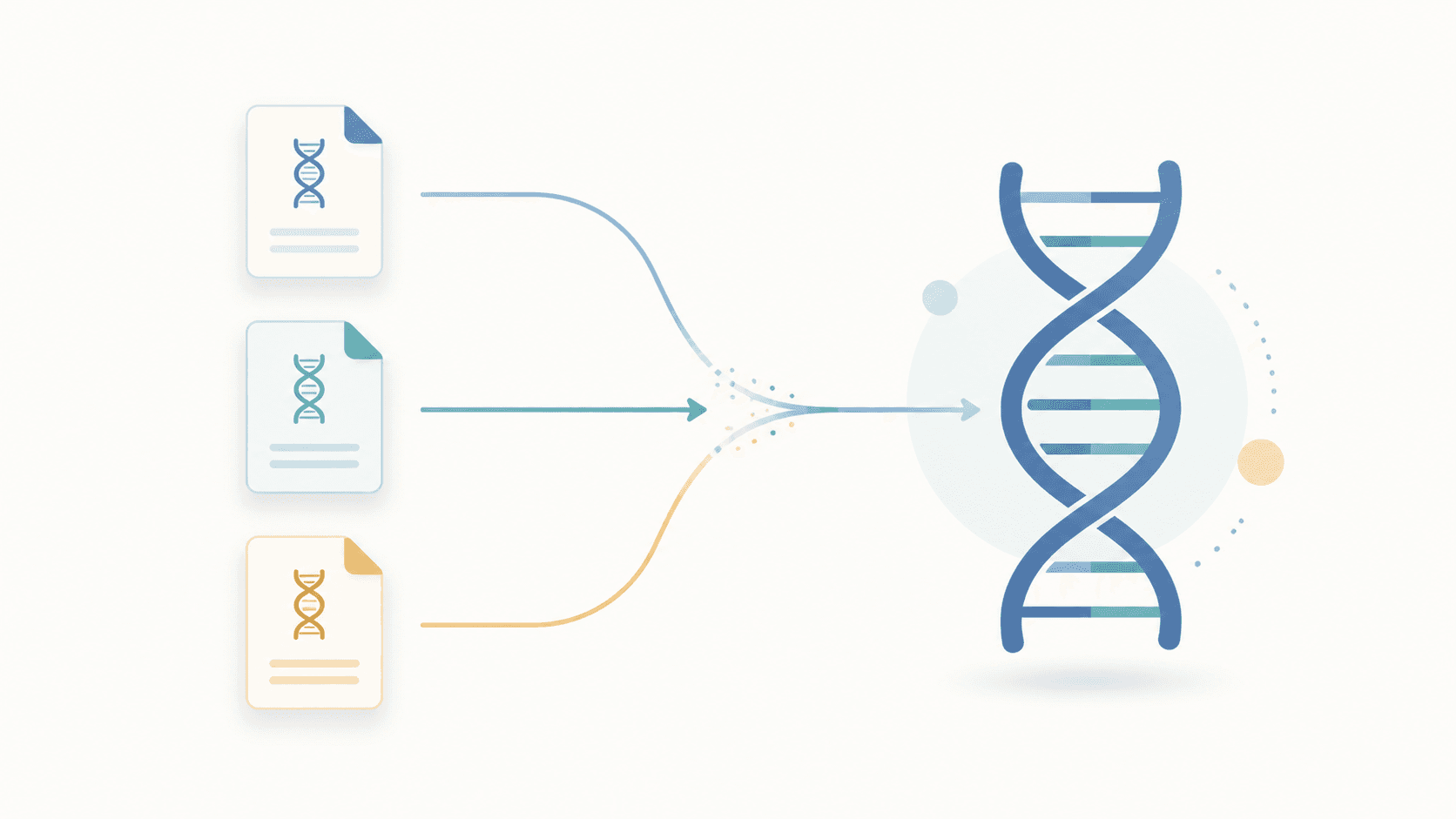
If your DNA test gives you a standard raw genotype file, you can usually re-analyze it without buying another kit. GenoSight accepts raw files from 23andMe, AncestryDNA, and MyHeritage. Some other tests export data too, but the file may be a different format, a genealogy-only export, or a whole-genome sequencing file that needs a separate workflow.
Which tests support raw data export
The practical question is not just "can I download something?" It is "can I download the kind of file a consumer health re-analysis tool can parse?"
| Test | Raw download | File format | Tool-compatible |
|---|---|---|---|
| 23andMe | Yes | Tab-separated .txt, often inside .zip | Yes |
| AncestryDNA | Yes | Tab-separated .txt, usually zipped | Yes |
| MyHeritage | Yes | Tabular raw-data export, usually zipped | Yes |
| FamilyTreeDNA Family Finder | Yes | Autosomal raw-data export | Varies by tool |
| LivingDNA | Yes | Autosomal raw-data export | Varies by tool |
| Nebula / DNA Complete / WGS providers | Usually data access, depending on account status | VCF, BAM, CRAM, FASTQ | No for most consumer-array tools |
| Color, Invitae, clinical labs | Limited or by request | Clinical report or clinical variant file | Not a consumer upload workflow |
| AncestryHealth legacy files | Service discontinued | Same raw array style if you saved it | Often yes |
For GenoSight specifically, the supported set is intentionally narrower: 23andMe, AncestryDNA, and MyHeritage. That keeps parsing, coverage checks, and report wording aligned with the data quality we can validate.
The big three produce broadly similar genotyping-array files: one row per marker, with an rsID or marker identifier, chromosome, position, and genotype. They are not identical, and chip versions change over time, but they are close enough that a purpose-built parser can normalize them.
Best file for GenoSight
If your goal is a GenoSight report, use this decision table.
| What you have | Upload to GenoSight? | Notes |
|---|---|---|
23andMe raw data .zip | Yes | Do not unzip unless the upload step asks you to. |
23andMe raw data .txt | Yes | The text export is accepted directly. |
AncestryDNA raw data .zip | Yes | This is one of the strongest supported formats. |
MyHeritage raw data .zip | Yes | Use the raw kit download, not a PDF report. |
| A PDF health report | No | PDFs are human-readable reports, not raw genotype data. |
| VCF from whole-genome sequencing | No | Useful data, but a different bioinformatics pipeline. |
| BAM, CRAM, FASTQ | No | These are sequencing files, usually very large. |
| A file from a clinical lab | Usually no | Ask the lab or clinician what the file is intended for. |
Check your raw DNA file
Upload a 23andMe, AncestryDNA, or MyHeritage file. GenoSight checks compatibility before generating a report.
How to check whether your raw file will work
A typical compatible file looks like this when you open it in a text editor. The exact column headers vary by provider:
# rsid    chromosome    position    genotype
rs548049170    1    69869    TT
rs9283150      1    565508   AA
rs116587930    1    727841   GG
If you open your download and see roughly that structure, it is probably a standard genotyping-array export. Do not edit the file before uploading it. Changing delimiters, deleting comments, or saving through spreadsheet software can corrupt the format.
If you see something else, use the clues below.
| What you see | Likely meaning | What to do |
|---|---|---|
.zip with a .txt inside | Standard consumer raw-data export | Upload the zip or text file. |
.csv with rsIDs and genotypes | Possibly compatible, provider-dependent | Check whether the provider is supported. |
.vcf | Variant Call Format, common for sequencing | Use a WGS-aware tool, not a consumer-array parser. |
.bam, .cram, .fastq, .fq.gz | Raw sequencing alignment/read data | This needs bioinformatics tooling. |
.pdf | A report, not raw data | Download the raw DNA file instead. |
.xml or an app export archive | Account export, not genotype export | Look for "download raw DNA data" specifically. |
How to download your raw file from each service
Provider interfaces change, so the provider's own help center is the source of truth. The broad pattern is still consistent:
- Account settings -> privacy or DNA settings -> download raw data
- Email confirmation, sometimes with 2FA, before the download is generated
- The file arrives as a download link or attachment
Current official paths:
| Provider | Where to look |
|---|---|
| 23andMe | Profile menu, raw data or account settings, then the download option in the raw-data area. |
| AncestryDNA | DNA test settings, then the download/delete data section. |
| MyHeritage | DNA tab, Manage DNA kits, then the three-dot menu for the kit download. |
| FamilyTreeDNA | Results & Tools, Autosomal DNA, then Download Raw Data. |
A practical tip regardless of service: download the file to a known location and keep a backup. Some services revoke download links after a few days; others let you re-download anytime. The file itself is small enough to store safely, and reading it later costs you nothing.
Why whole-genome files are different
Whole-genome sequencing providers do not produce the same kind of file as 23andMe, AncestryDNA, or MyHeritage. Their raw output may include VCF, BAM, CRAM, or FASTQ files. Those files can be scientifically richer, but they are structured for sequencing workflows, not consumer-array upload tools.
This is a difference in data depth, not just file extension. A 30x whole-genome file may contain information at positions a consumer array never measured. It may also include rare variants, insertions, deletions, and coverage signals that need quality control. A consumer-array parser cannot safely pretend those files are the same thing.
For that reason, GenoSight does not currently accept WGS uploads. If you already have sequencing data, use a clinician, genetic counselor, or sequencing-aware service for interpretation. If you want the GenoSight flow, a standard 23andMe, AncestryDNA, or MyHeritage raw file is the cleanest path.
For cost and feature trade-offs between upload tools and broader DNA services, see GenoSight vs Promethease vs SelfDecode vs Nebula.
What if your test does not allow raw export
Three options:
- Re-test with a service that does allow export. 23andMe, AncestryDNA, and MyHeritage all run sales periodically. Pricing changes, but a sale kit is often cheaper than ordering a new clinical or whole-genome workflow.
- Check whether your service offers an export workaround. Some clinical-grade tests will release a structured report or variant file on request, though the format may not be consumer-tool compatible.
- For PGx specifically, ask your clinician. Clinical-grade pharmacogenomic panels exist and produce reports designed for clinical workflow. They cost more than re-testing with a consumer service, but they cover variants consumer arrays miss.
If the test was ordered by a clinician, do not treat "download the data" as the same thing as "interpret the data yourself." Ask what was tested, what was not tested, whether confirmatory testing is needed, and whether raw files are meant for patient-directed re-analysis.
Other compatibility notes
A few situations that come up:
- 23andMe Health + Ancestry vs Ancestry-only. Both produce the same raw genotype file. The difference is which reports 23andMe gives you on top of the file; the underlying data is the same.
- AncestryDNA vs AncestryHealth. AncestryHealth was discontinued; if you have a download from when it was available, it uses the same underlying genotype style as AncestryDNA. New tests with Ancestry only produce the AncestryDNA export.
- Older test versions. All three major services have changed array chip versions over the years. Older files have different SNP coverage than newer ones. Most analysis tools accommodate this, but a small number of variants may not be present in older exports.
- Different ancestry tests over time. If you have taken multiple tests, each produces its own raw file. You can analyze each independently; the overlap is significant but not 100%.
- Uploaded genealogy transfers. Some sites accept uploads from another provider. Downloading from that account may not produce the original raw file format. If possible, download from the original testing company.
- Spreadsheet edits. Opening a raw file in Excel or Google Sheets can change rsIDs, strip leading characters, or re-save delimiters. Keep the original untouched.
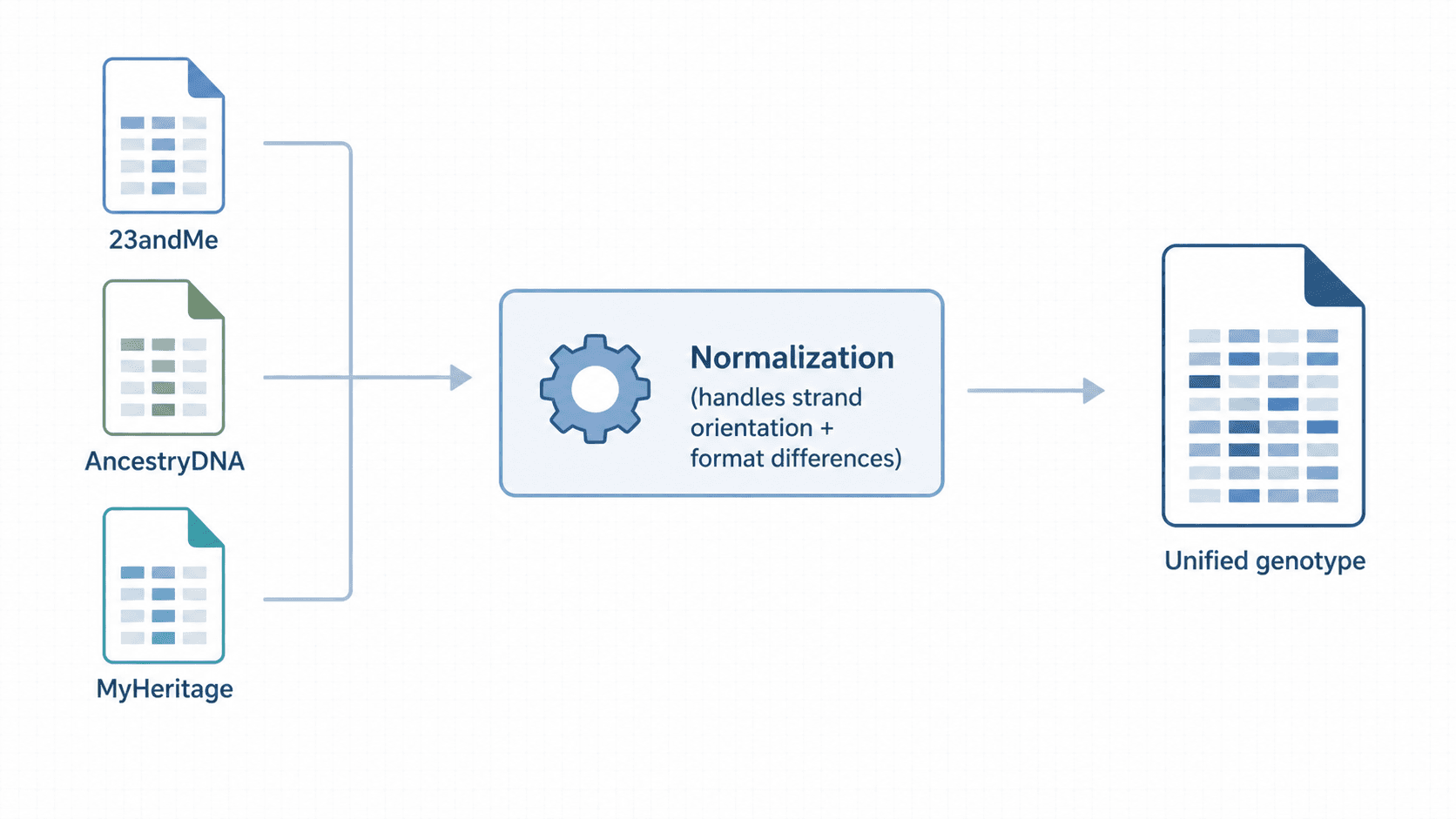
How GenoSight handles file formats
GenoSight accepts raw files from the three main consumer providers: 23andMe, AncestryDNA, and MyHeritage. It handles the format differences automatically, including:
- The minor column-naming and ordering differences between providers
- Strand-orientation differences, where the same variant may be represented on the opposite DNA strand
- Older-version array files that include or exclude specific SNPs
- Basic provider detection and parser compatibility checks before report generation
You can upload directly during onboarding without converting the file. If your file format is not recognized, the upload step explains what went wrong and what to do next.
After parsing, GenoSight does not treat the raw file as a diagnosis. It checks supported markers against curated evidence sources, then synthesizes an educational report around your profile. That is why file compatibility is only the first gate. The next gates are evidence quality, topic fit, and the limits of consumer genotyping.
Try GenoSight free
Upload your existing 23andMe, AncestryDNA, or MyHeritage file. 250 signup credits with no card.
Educational only
GenoSight provides educational information about your genetic data. It is not a medical diagnosis, treatment, or cure. Raw consumer DNA files can miss clinically important variants. Always consult your healthcare provider before making medical decisions from genetic information.
Key takeaways
- 23andMe, AncestryDNA, and MyHeritage are the cleanest raw-data sources for GenoSight.
- A compatible file is usually a small zipped or text genotype export with rsIDs, chromosomes, positions, and genotypes.
- PDF reports, account archives, VCFs, BAMs, CRAMs, and FASTQs are not the same as consumer raw genotype files.
- Whole-genome sequencing can be richer, but it needs a sequencing-aware workflow.
- Raw DNA re-analysis is educational and cannot diagnose, treat, or rule out a condition.
Sources
- 23andMe - accessing raw genetic data - https://customercare.23andme.com/hc/en-us/articles/212196868-Accessing-Your-Raw-Genetic-Data
- 23andMe - genotyping platform specifications - https://customercare.23andme.com/hc/en-us/articles/202904600
- AncestryDNA - downloading DNA data - https://support.ancestry.com/s/article/Downloading-DNA-Data
- MyHeritage - downloading raw DNA data - https://www.myheritage.com/help/en/articles/12851869-how-do-i-download-my-raw-dna-data-file-from-myheritage
- FamilyTreeDNA - downloading Family Finder data - https://help.familytreedna.com/hc/en-us/articles/14860944283407-Downloading-Your-Family-Finder-Data